
NightScape Lab
Stack, clean up and finish a night of RAW frames in one desktop app
Visit NightScapeLab.comWhy I Built It
My night photos usually start as a stack of frames rather than one exposure. For a long time, getting from that stack to a finished image meant a different program for every step (one to stack, another for the stars, Photoshop to blend the foreground back in), and I spent a lot of evenings just trying to keep the color from drifting as the file bounced between them.
So I built NightScape Lab to do all of it in one place. It's a desktop app for macOS (Apple Silicon and Intel), Windows and Linux.
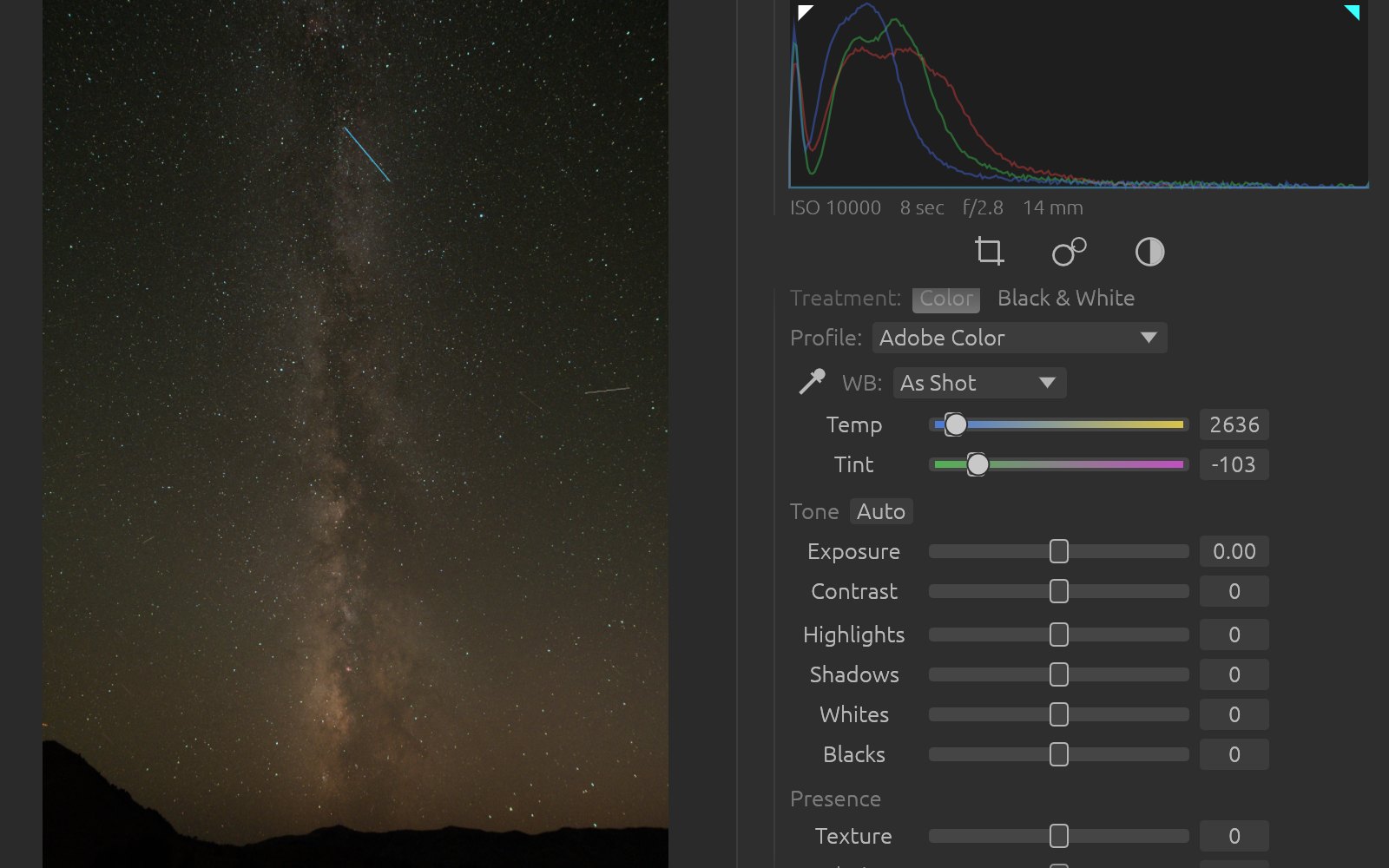
From the Card to the Stack
Import a night's shoot and the app separates your light frames from your darks. Culling works the way a Lightroom user would expect, with grid, compare and filmstrip views and the usual flags, star ratings, color labels and keywords.
Stacking is where a night sky gets tricky. The stars rotate over the course of a night while the ground stays put, so if you align the whole frame on the stars the foreground blurs, and the reverse leaves the stars streaked. NightScape Lab draws an AI mask between sky and ground and aligns each half on its own. Satellite and airplane streaks drop out during the stack, and what comes out is a 16-bit base image. You can see the mask and paint over it. Tree lines and ridges are where an automatic mask is most likely to slip, and I wanted a way to fix that before the stack runs.
Finishing Tools
Alongside the standard Basic, Tone Curve, HSL and Crop panels, the Process view has tools written for night work:
Star Tools
Take the stars out entirely or shrink them, and fix the oval stars that show up near the corners of a wide lens.
Noise Reduction
Cleans up the sky without softening the stars in it.
Foreground and Sky
Blend a foreground shot at a different exposure into the sky with no glow along the edge between them.
Star Trails
Turn a sequence of frames into trails, in any of five styles.
Panoramas
Stitch several frames into one wide image.
Masks and Layers
Sky, ground, linear, radial, range and brush masks, with layers that update when whatever is under them changes.
Screenshots
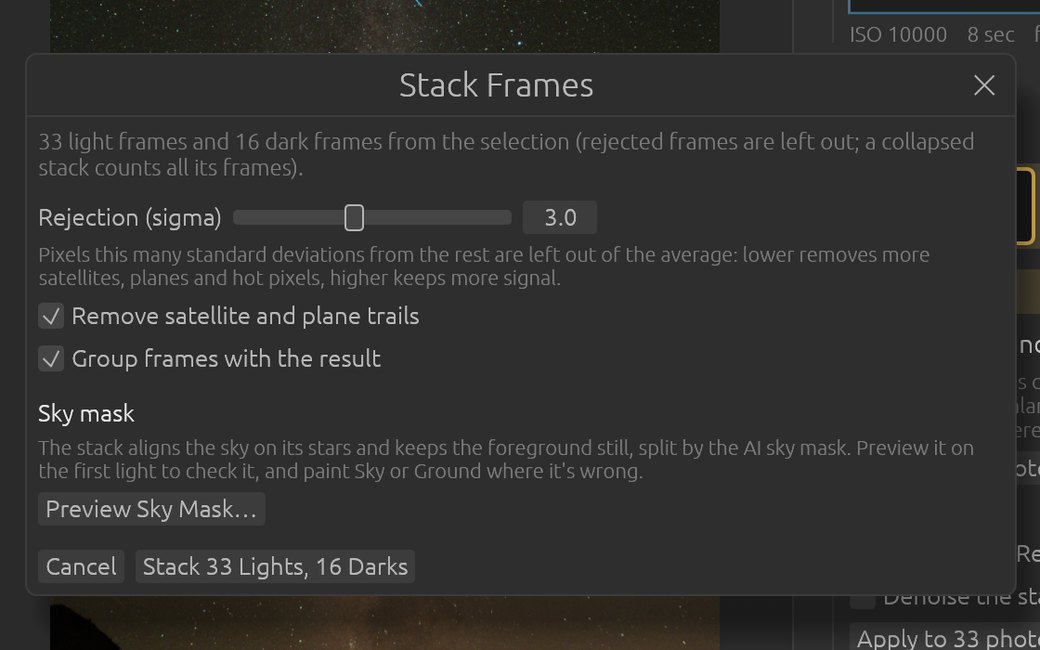
Choosing the light and dark frames that go into a stack
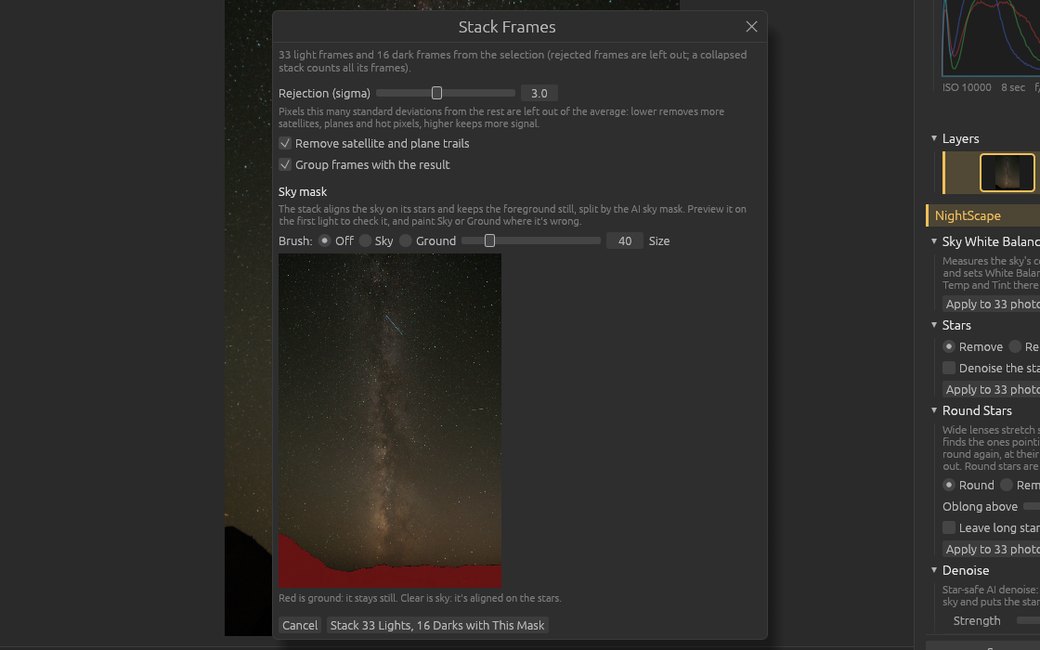
Checking the sky mask before the stack runs
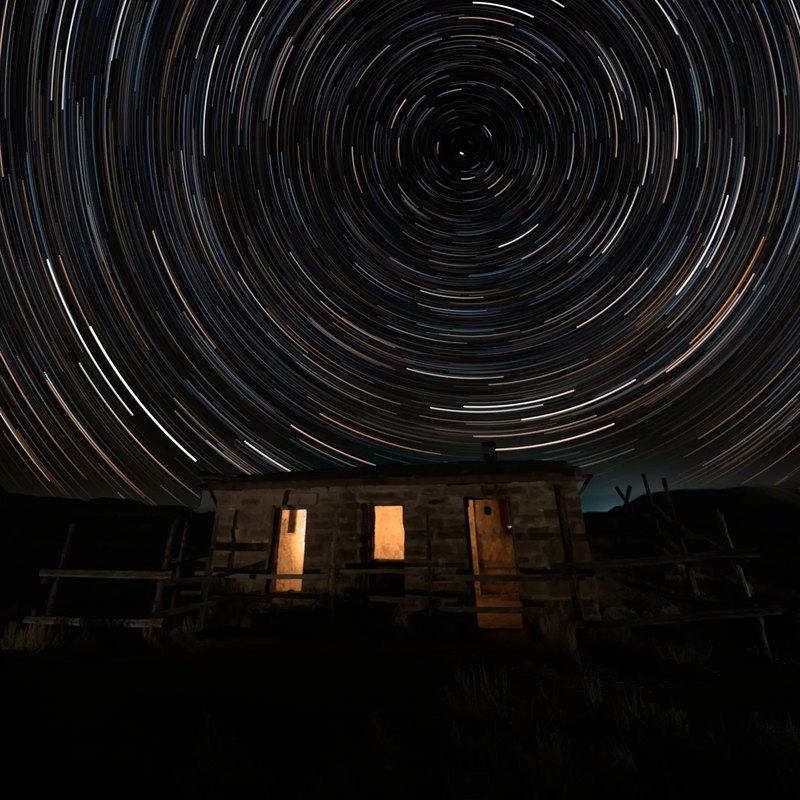
A star trail image made from a sequence
Nothing Leaves Your Computer
I wanted every AI step (the sky mask, star removal and noise reduction) to run locally, so your photos are never uploaded. The only time the app reaches the internet is to check its license and look for updates, and the update check can be switched off.
It works on its own, so you don't need Photoshop or Lightroom. On a Mac or Windows machine you also get a Lightroom Classic plugin and a Photoshop panel if you want them.
Availability
It isn't out yet. When it launches it'll be $129, paid once, with updates for the version you buy included and 30 days to ask for your money back. Sign up at NightScapeLab.com to get an email the day it's released.