
Milky Way Planner for iPhone
MilkyWayPlanner.com, built for the phone in your pocket

Why a Phone App
I plan a Milky Way season on MilkyWayPlanner.com, but a lot of the actual decisions get made away from a desk. So I built a native iPhone version.
It runs on the same night-rating math as the website, so the scores match between the two, and your account, saved places and trips come along with you.
What It Does
A rating for every night
Free
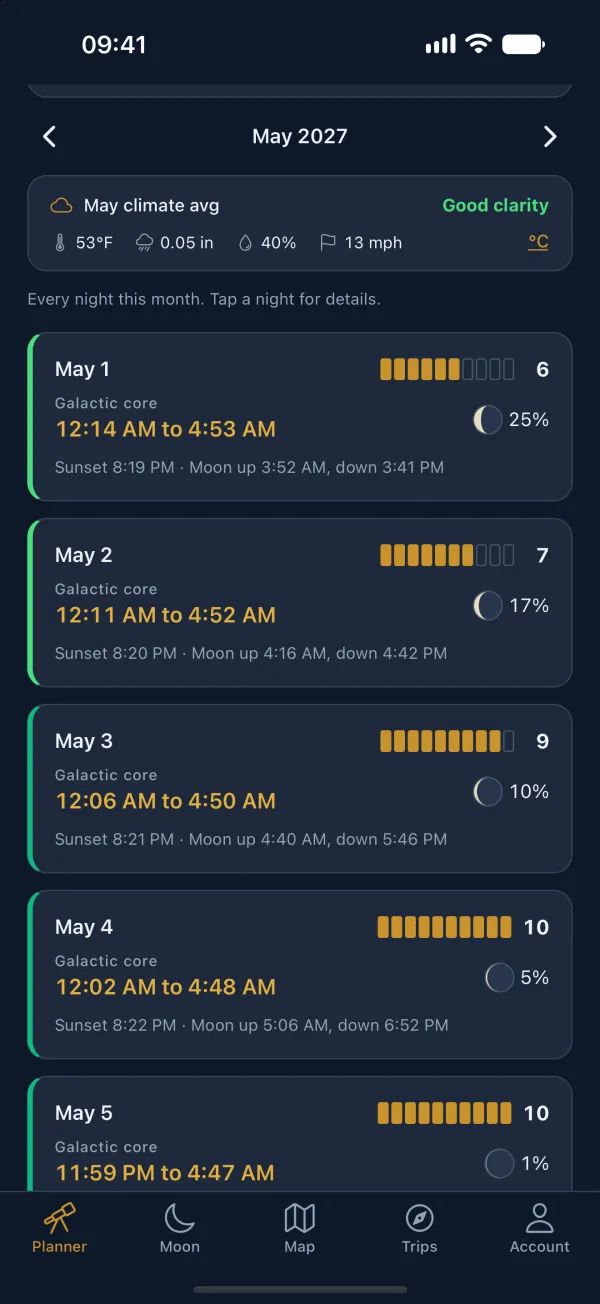
Choose a spot and the month fills in with a score from 0 to 10 for each night, along with the window when the core is up and the sky is fully dark, plus sunset and the moon's rise and set. Times show in that spot's own time zone, which saves some head-scratching when a trip crosses a time zone line. Free accounts see the nights that score 6 and up; Premium shows the whole month.
Where and when the core shows up
Free, with the map in Premium
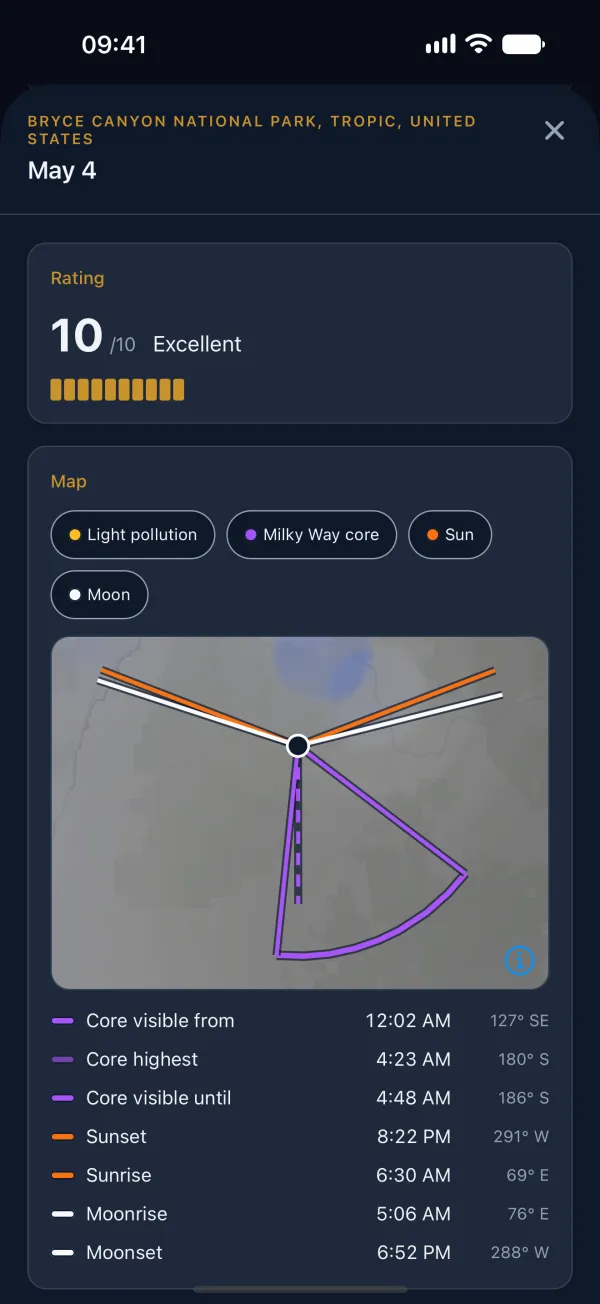
Open any night for the core's rise, highest point and set, each with a compass bearing, plus the sun and moon times. Premium also draws the night on a map, tracing the core across the sky and the sun and moon directions over the light pollution layer, which is handy for lining up a foreground before you leave.
Go or no-go on the weather
Premium
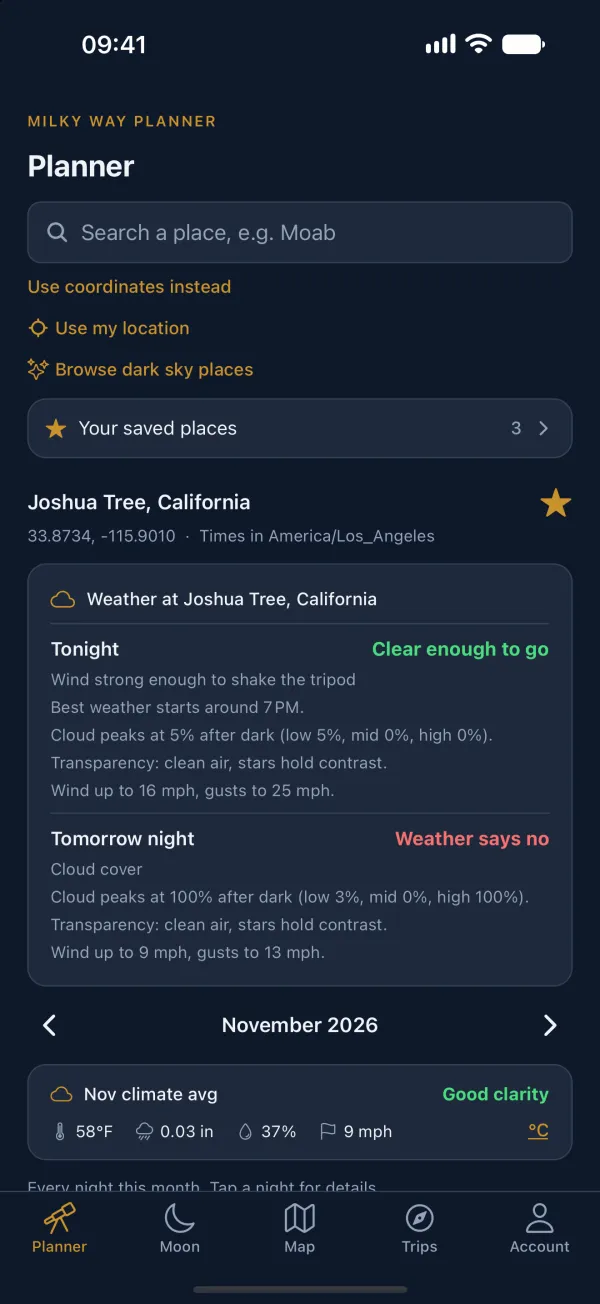
For places you've saved, the app checks tonight's and tomorrow's cloud cover, smoke and wind and tells you whether it's worth the drive, with its reasons listed underneath. For trips further out, it shows what the weather usually does that month.
Dark sky places
Free
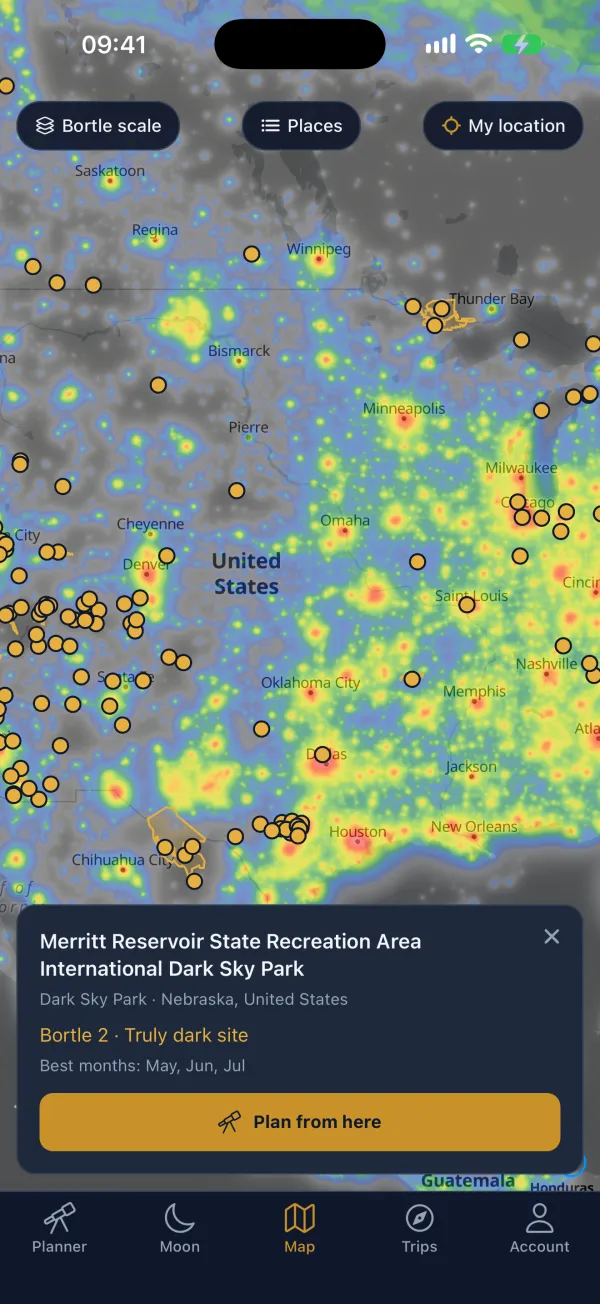
The map shows light pollution along with 397 certified dark sky places. Tap anywhere to see its Bortle class, or pick a park and start planning from there.
Moon Planner
Premium
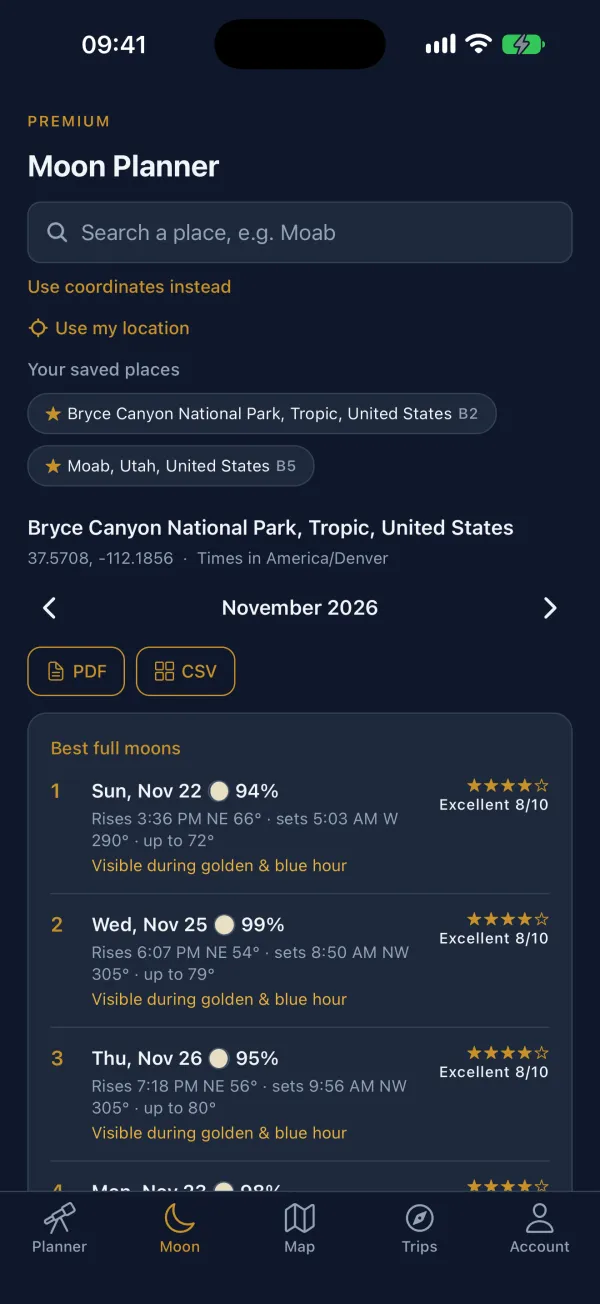
If you want the moon in the shot, start here. It lists moonrise and moonset with compass bearings, marks supermoons, and ranks full moons by how close they fall to golden or blue hour.
Trip Planner
Premium
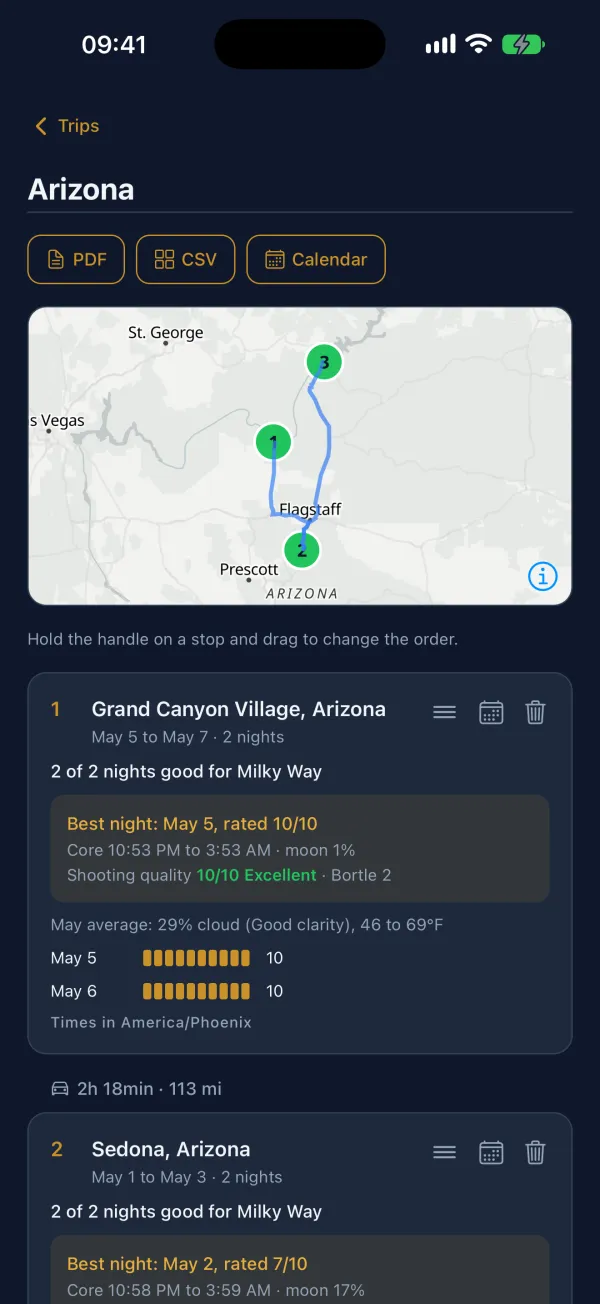
Add a few stops to a trip and the app counts up the good nights at each one, picks the best night at every stop, and shows the driving time between them on a map. Trips export to PDF, CSV or your calendar.
Free and Premium
The app costs nothing to download, and you can plan without making an account. Premium is $25 a year through the App Store. It opens up the full month of nights, the weather call, the night map, the Moon Planner, the Trip Planner, saved places and exports.
A Premium subscription works on the website too, so if you already have it on MilkyWayPlanner.com, just sign in with the same account.
Requirements
You'll need iOS 16.4 or newer, on an iPhone or iPad. I haven't built an Android version, but MilkyWayPlanner.com works fine in a phone browser.